立即試用 aiSnapChat,免註冊

Do you open the editor and draw a blank, and on top of that your video thumbnail turns out worse than the run?
Five tools for what the game doesn't give you. The icon comes out as a PNG with a real transparent background, ready for your Discord avatar. The thumbnail carries the AI-painted scene plus the title, percentage and badge composed by the server, so the text is readable. The level plan is calculated from the bars of your song, not by eye. The palette arrives in the HSV values the editor uses, already adjusted so the spikes stand out from the decoration. And if what's blocking you is a demon, the practice plan comes from your best percentage. It doesn't connect to the game, doesn't touch your levels and doesn't use a single RobTop asset: everything is original art and text in the game's visual language.
查看工具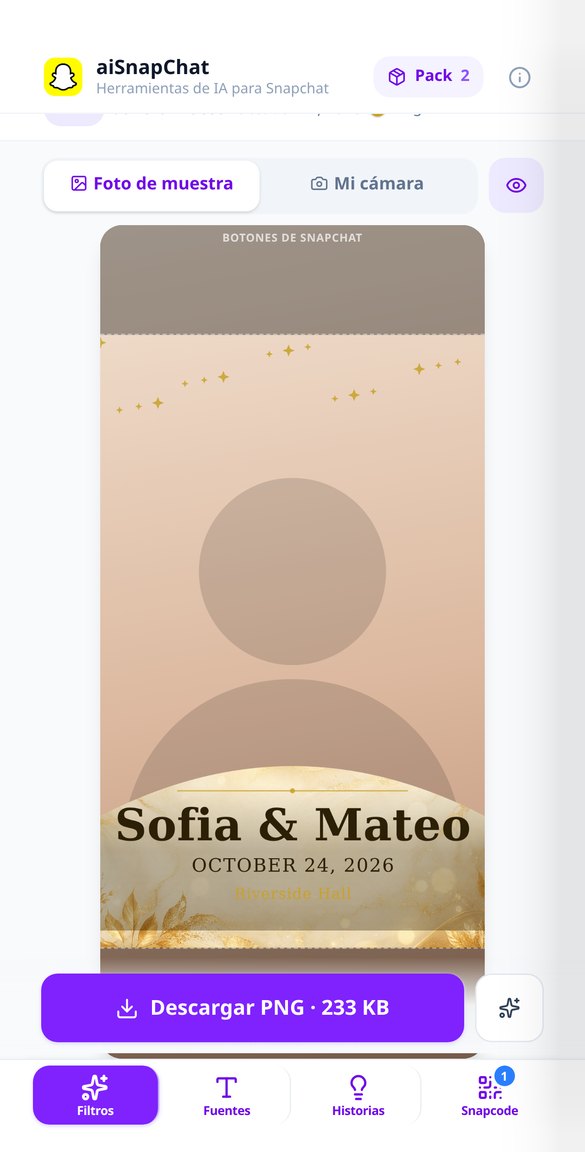
深入了解每項功能
製作透明背景 Snapchat 濾鏡:1080x2340 地理濾鏡產生器
製作中央真正透明的 Snapchat 濾鏡或地理濾鏡:直式 PNG 1080x2340、向量文字的名字與日期,下載前驗證尺寸、檔案大小和 Alpha。
免費試用
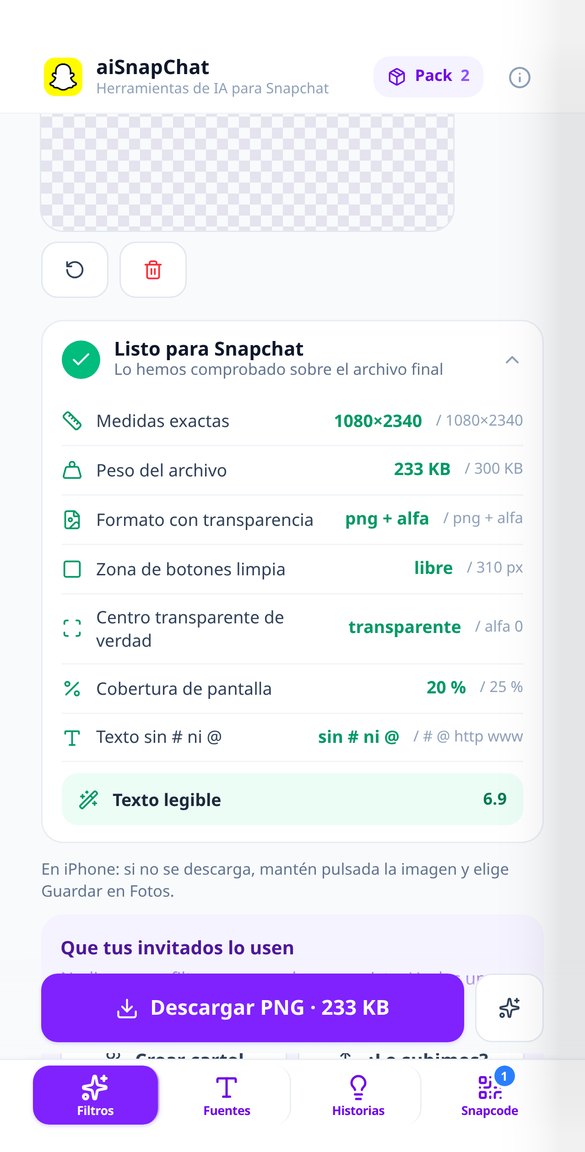
上傳前檢查 Snapchat 濾鏡:尺寸、檔案大小與透明度驗證
送審前先驗證你的 Snapchat 濾鏡:七項檢查並顯示量測值(1080x2340、300 KB、帶 Alpha 的 PNG、中央透明、文字不含 # 或 @),並阻擋 Snapchat 確定會拒絕的項目。
免費試用
如何上傳 Snapchat 濾鏡與費用:附計算機的逐步助理
四步驟助理,協助你把濾鏡上傳到 Snapchat 建立工具,附有時數與場地大小的計算機,估算 Snapchat 收取的費用。費用由 Snap 收取,而不是我們。
免費試用
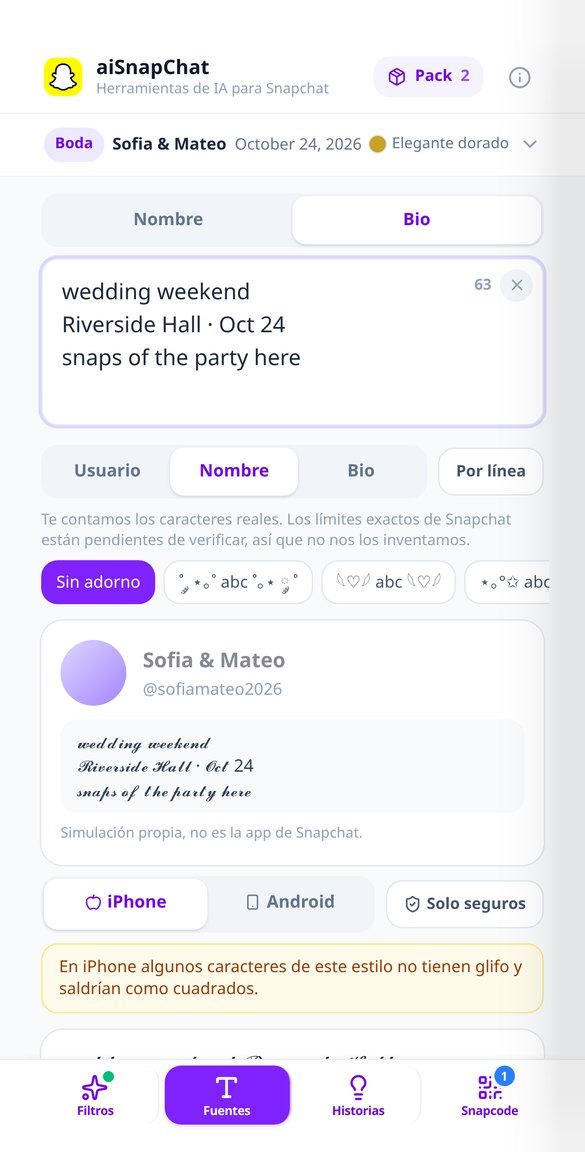
Snapchat 特殊字型:讓名稱與簡介變好看又不出現方框
輸入時即時將 Snapchat 名稱與簡介轉換成 18 種 Unicode 字母樣式,一鍵加上裝飾,並提供 iPhone 與 Android 預覽,避免出現方框。免費、在瀏覽器中執行,無需提供帳號。
免費試用
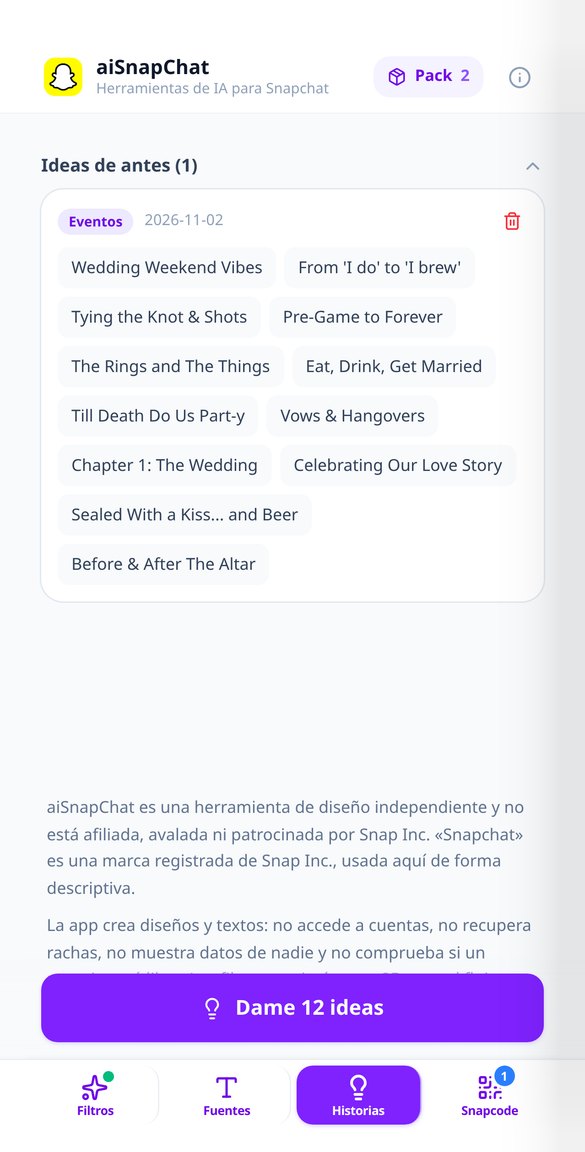
Snapchat 私人限時動態名稱:依語氣即時產生 12 個點子
依語氣為 Snapchat 私人限時動態產生簡短名稱:混亂、VIP、美感、活動、搞笑或浪漫。一鍵取得十二個新點子,使用你的語言,並已檢查字元上限。
免費試用
Snapchat 使用者名稱產生器:用 AI 產生 12 個 @ 點子
依你的名字、關鍵字與想要的風格,產生 Snapchat 使用者名稱點子。十二個小寫帳號,長度 4 到 15 個字元,不含奇怪字元。免費,無需註冊。
免費試用
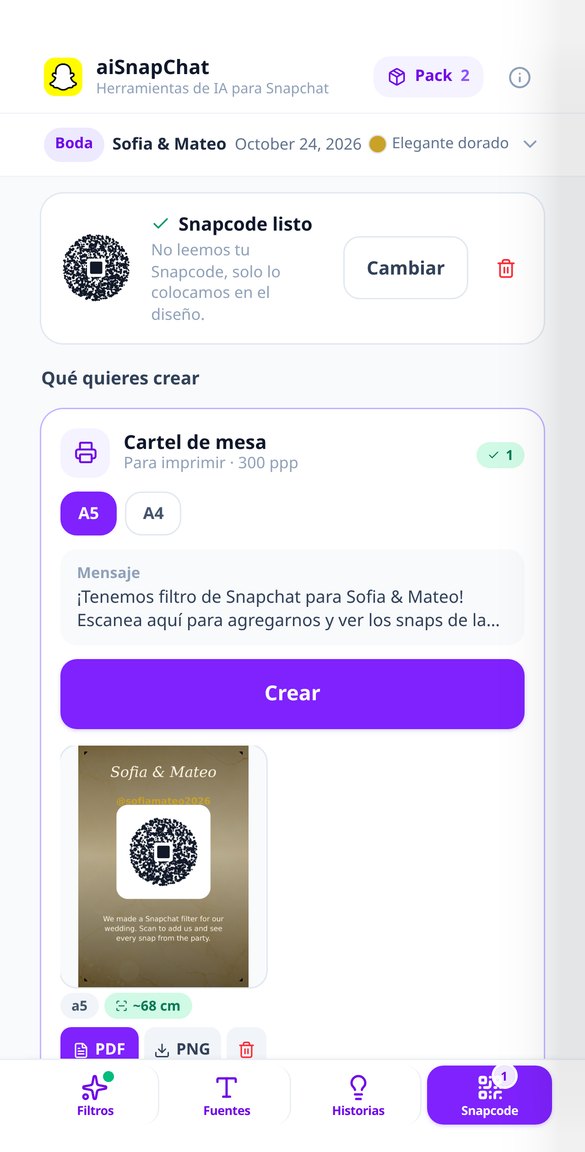
可列印的 Snapcode 海報與貼紙(A5、A4、50/80 mm)
製作附有你的 Snapcode 的桌上海報與貼紙,讓賓客使用你的濾鏡。提供 A5、A4 與 50/80 mm,300 ppp 與實際尺寸 PDF,代碼大小確保能掃描。
免費試用四個工作坊,同一份活動文件
Everything happens on your phone, between the editor and the video-uploading app: whatever comes out of here downloads in one tap or copies to the clipboard. The numbers are calculated by the server; the AI just adds the content on top.

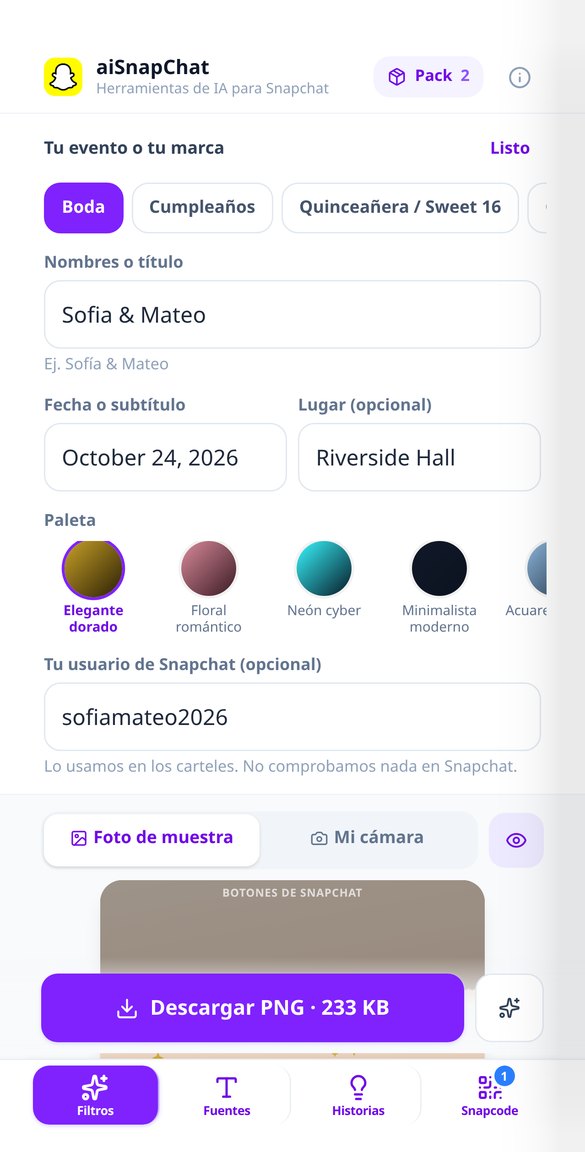
中心真正透明的濾鏡工作室
為 7 種活動類型設計的 18 款主題範本、3 種版型(下方橫條、邊框與頂部橫幅)及其數值幾何、5 種配色、5 種字型,以及 8 種不消耗生成額度的向量裝飾。同一設計最多有 4 種版本,供您憑眼睛挑選。Snap-Audit 會在下載前向您展示尺寸、實際檔案大小與中心的 alpha 值,而修正對比、標題大小或版型,都是在本機重新合成:不會再消耗一次生成額度。
字型與簡介,讓您的 Android 朋友不會看到方塊
18 種 Unicode 樣式(13 種標示為相容,5 種提醒可能無法顯示)與 9 種裝飾器,全都在您的瀏覽器中計算,不必等待也免費。iPhone/Android 雙重預覽會真正測量字形,並在複製前向您顯示在各種手機上的樣子,個人檔案模擬畫面讓您看到實際情境,計數器計算的是真實字元數,而不是位元組。有名稱模式與多行簡介模式,一鍵複製。
附有 Snapcode 的海報與貼紙,可直接列印
您上傳從自己個人檔案下載的 Snapcode——本應用程式絕不會產生或解碼它——就會合成桌卡、貼紙、1080×1920 的直式限時動態,以及櫥窗貼紙:4 種作品共 9 種格式,其中 8 種可列印的格式附有精確實體尺寸的 PDF,不會有人印出被縮放的 A4。代碼絕不會縮到低於可掃描的最小尺寸:縮小的是文字,並會告訴您從幾公分的距離可以掃描。
從想法到濾鏡,只要三步
Jump in without signing up
The app opens in your browser and works as a guest: the first creation with each tool is free and actually downloads, with no watermark.
Pick your tool and fill in four fields
Icon, thumbnail, level plan, HSV palette or demon plan. Everything comes with sensible defaults: in the minimal case you can generate without touching anything else.
Download or copy and head back to the game
The PNG saves to your gallery in one tap and the texts, the channel-by-channel HSVs and the full plan copy to the clipboard so you can paste them into the editor, into notes or into your Discord.